Home / The NQC App
Workout and nutrition app · Australia
The NQC App: everything except the exercise
What to do in the gym, what to swap when the machine's taken, what to eat, what to order when you're out, and proof it's working. Built by a Glebe PT so the only thing left for you is the lifting.
Coming soon to iPhone and Android
Training
Know exactly what to do in the gym
The problems it solves
“I walk into the gym and don't know what to do.”
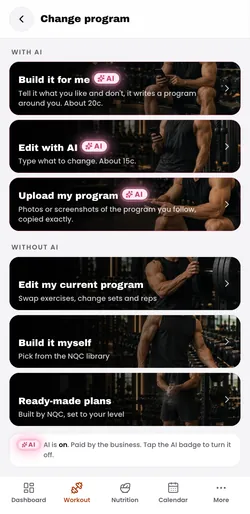
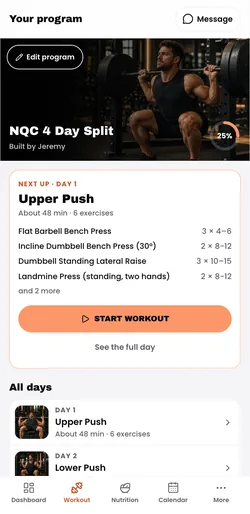
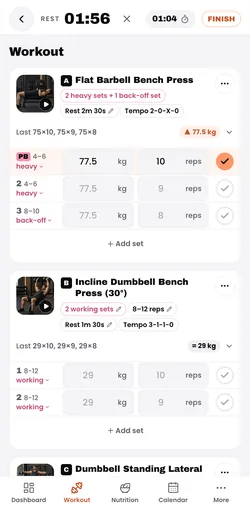
Tell it your goal, how many days you can train, how long you've got, your experience and what your gym has. It builds your program with a warm-up for every session and a video for every exercise. The builder is free. With AI turned on, it can go further and pick the exercises that fit you best, then explain why.
“The machine's taken, or that exercise hurts.”
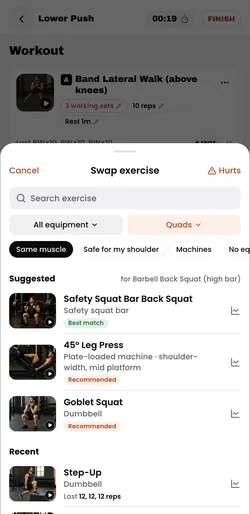
Swap any exercise, free. You get up to 3 swaps that train the same movement, with the equipment you have, your injuries and your level in mind. Tell it about an injury and your program only uses exercises that suit that area. If something hurts mid-set, it swaps the exercise for you.
“I don't know if I'm actually getting stronger.”
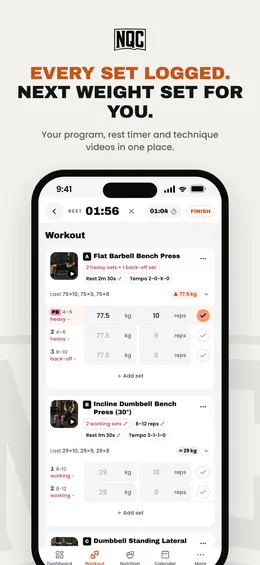
Every set is logged with last time's weights and reps beside it, rest timers, personal bests and your estimated one-rep max, so you know when to add weight instead of guessing.
“Tracking food takes forever.”
Search Australian foods with kilojoules and calories, or scan a barcode. With AI on, take a photo or type what you ate (“chicken burrito bowl, no sour cream”) and the AI Tracker works it out from restaurant nutrition info or the Australian food database. You check it before it's saved, and each scan also gives you 11 micronutrients.
“I never know what to order when I eat out.”
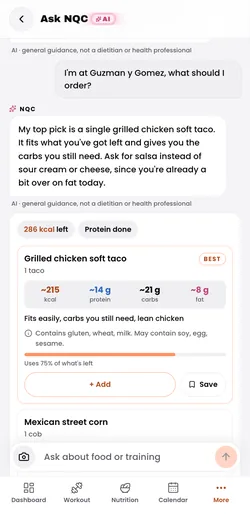
Ask NQC (AI). At a big chain it gives you the 3 best orders from the Australian menu. At a local place it looks up the menu online or reads a photo of it. Ordering delivery? It suggests where to order from first.
“I don't know what to eat this week.”
A free meal plan built around your targets, over 200 recipes (including treats that fit), and a shopping list. Want something different? Change a meal by typing what you want (AI).
“I can't tell if it's working.”
Your weekly average weight (so one salty dinner doesn't ruin your week), tape measurements, progress photos side by side and strength over time. With AI on, an AI Check-In reads your last 4 weekly check-ins and gives you findings and a body fat estimate.
“I always fall off after a few weeks.”
A daily check-in that takes seconds, habits and streaks, weekly goals, and an app that works with no signal in the gym. Add it to your home screen and it's there every time you open your phone.
AI, when you want it
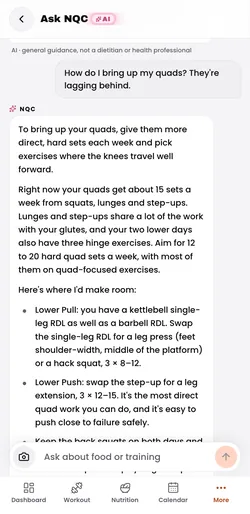
Ask it anything about food and training
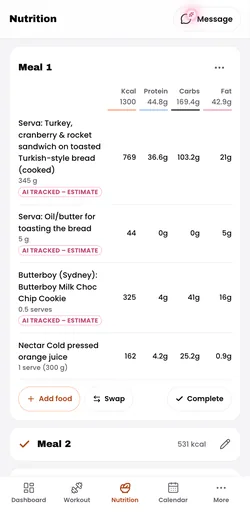
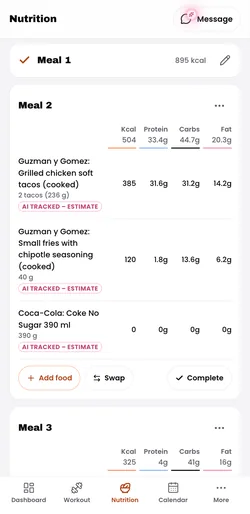
Food, recipes and progress
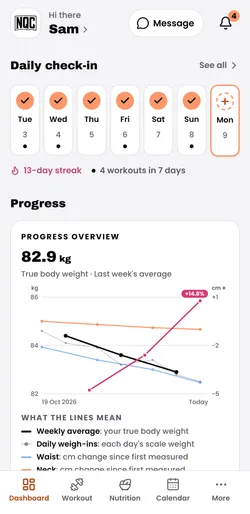
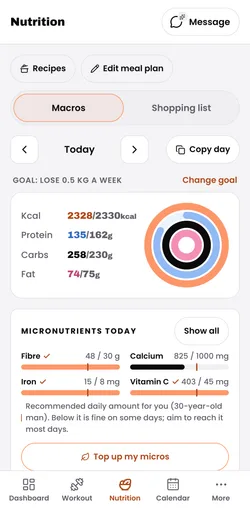
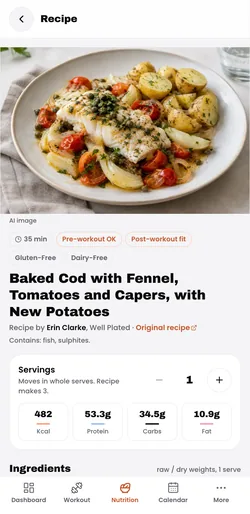
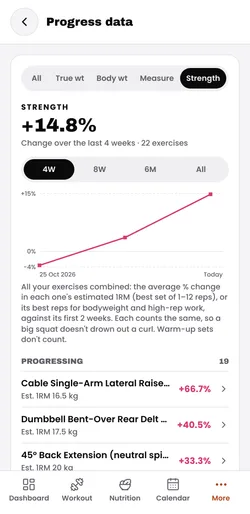
Screens from the app's demo accounts, with sample data.
What's included and what uses AI
Included in the membership
- A program built for your goal, days, time, gym and experience, with a video for every exercise
- Swap any exercise, free, plus injury-aware programming
- Workout logging, rest timers, personal bests and strength over time
- Food tracking with Australian foods, kilojoules and a barcode scanner
- Daily calorie and protein targets, free meal plans, over 200 recipes and a shopping list
- Weight, measurements, progress photos, daily and weekly check-ins
- Works offline
AI features: optional, pay per use
AI is off until you turn it on. When you use it, you pay what it cost to run, with no markup, and every charge shows in the app. The price of each AI feature will be listed here when the app launches.
Questions
NQC App FAQ
When can I get the NQC App?
It's coming soon, on iPhone and Android. Personal training and online coaching clients get it included now.
Is the AI included in the price?
No. AI features are optional, switched off until you turn them on, and charged per use at what they cost to run, with no markup. The price of each one will be listed here when the app launches.
Can I swap an exercise I don't like or can't do?
Yes, any exercise, free. The app offers up to 3 swaps that train the same movement with the equipment you have, your injuries and your training level in mind.
Is it for beginners or experienced lifters?
Both. New lifters start on machine-based compound movements with a full warm-up; experienced lifters get more advanced exercises and set types. The program is built from your answers when you sign up.
Does it work around injuries?
Yes. Tell it about a past or current injury and it asks some safety questions first, then your program only uses exercises that suit that area. If something hurts during a set (4 out of 10 or more), it swaps the exercise. If you need a physio or GP first, it tells you.
Does it track food?
Yes: Australian foods with kilojoules and calories, a barcode scanner, recipes, meal plans and a daily protein and calorie target. With AI turned on you can also log a meal from a photo or by typing what you ate, and you check it before it's saved.
How does the eating-out help work?
Ask NQC (AI, charged per message) tells you what to order. For big chains it picks the 3 best options from the Australian menu; for a local place it looks up the menu online or reads a photo of it; for delivery it suggests places first.
Will it tell me which supplements to take?
No. Ask NQC sticks to training and food questions. It won't give supplement, medical or extreme-diet advice, and points you to a GP or dietitian when that's what you need.
Are my photos stored?
Meal photos used by the AI Tracker are never stored. Progress photos are kept in your account for your own comparisons.
Does it work without signal?
Yes. Workouts, the food tracker and check-ins work offline and sync when you're back online.
Does it connect to my watch or ring?
Not yet. Connections for Oura, WHOOP and Garmin are on the way.
Is there an iPhone or Android app?
Yes, the iPhone and Android apps are coming soon.
Do I get a coach?
The app on its own is self-guided. If you want me checking in, adjusting your plan and on call, that's online coaching.
How do I cancel?
Any time, in the app. Payments stop straight away and you keep access to the end of the 4 weeks you've already paid for.